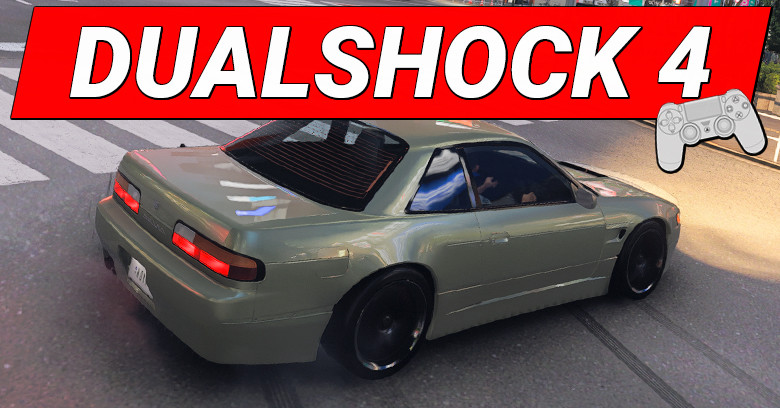
If you’re using a Dualshock 4 in Forza Horizon 6 and don't seem to find the right settings, here are my settings that might help you.
Table of Contents
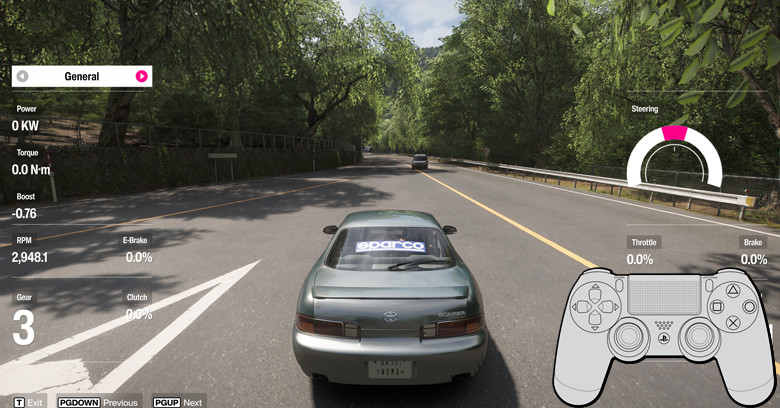
To tweak your controller, go to: Main menu > Settings > Advanced Controls. In there you will be able to tune steering linearity, gas, brake, clutch deadzone and more.
For Racing / Cruising
This is my main setting that I use 99% of the time. The controller feels very detailed, responsive to turn, and smooth braking.
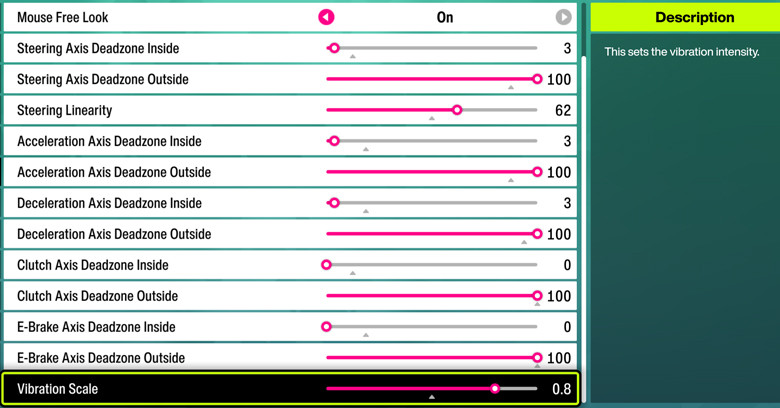
I put all Deadzone Inside to 3 except for clutch and E-Brake. Most people like to put this at 0, but for Dualshock 4 we need a little breathing room for the controller to respond, putting this at 3 avoids instant wheel spins, enhances braking, and makes sharp turns more responsive.
My Steering Linearity is at 62 because I prefer oversteer over understeer, which is a more aggressive turn, if you like understeer or standard turn you should use 48 or 50.
All my Deadzone Outside is set to 100, I max this because I need to press gas and brake all the way for it to reach 100%, this way the throttle feels realistic as well as the braking.
For Vibration scale, it’s highly personal preference, I like to feel the road more when I drive so I set mine to 0.8.
Racing and Cruising is what I do most of the time in FH6, but sometimes I also like to drift. I'm not saying that this setting is bad for drifting but If I go for a certain high score, I like to manually change my setting to my drift setting instead.
For Drifting
This is my drift setting that I only use when I need to get high drift zone scores. If I drift for fun, I mostly use my racing / cruising settings.
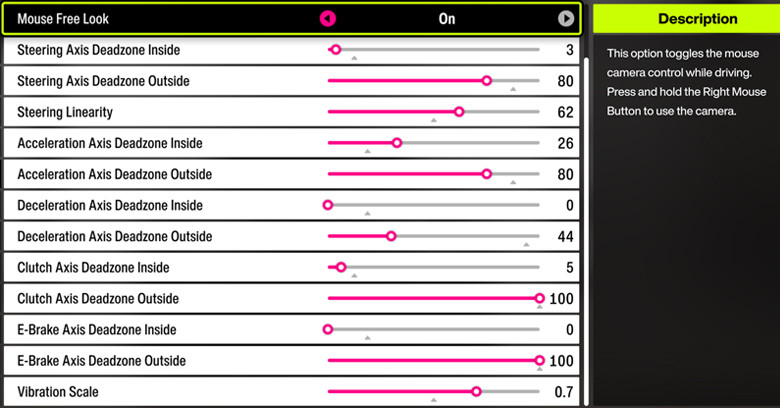
I set the Steering Axis Deadzone Outside to 80 to reduce those high degree steering and it gives me better control of my counter steering.
My Steering Linearity is set between 62 - 80, it highly depends on which car that I use for drifting at that time.
I set Acceleration Axis Deadzone Inside at 26 because I want to feel like I actually put effort to control my throttle and not just lightly press in my gas.
I set Acceleration Axis Deadzone Outside at 80 because I want my gas or throttle to reach 70% 80% quickly so the wheel starts spinning as soon as possible.
For Deceleration Axis Deadzone Inside I set it at between 0 or 3, again, this is highly dependent on which car I use for drifting.
For Deceleration Axis Deadzone Outside, I have mine at 44, you can have yours at 100, the reason I set mine to 44 is because I want my brake to instantly throw my car to the other side.
Lastly, I have my Vibration Scale at 0.7 and sometimes at 0.3, I like less vibration when I drift so I can slide more smoothly in-game as well as feedback to the controller.
Now please take these settings as a baseline, then you can tweak these settings to be even more refined with your controller, as even the same Dualshock 4 controller sometimes has different deadzone and such.
End of Guide.