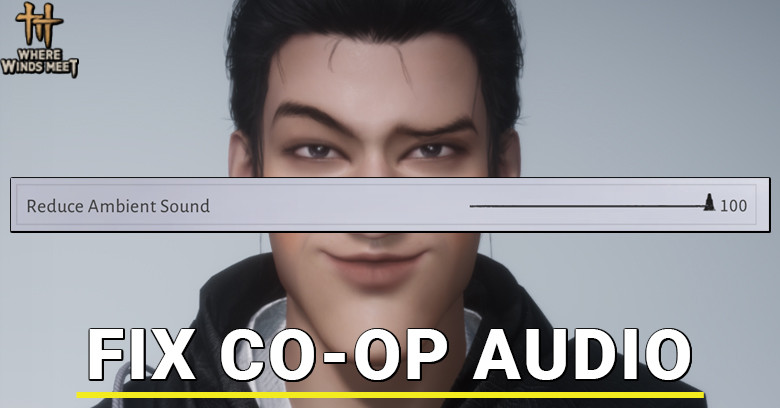
Does your Where Winds Meet game have normal audio during solo mode but once you join co-op with your friend you lose all the sound? Me too, for the last 80 hours.
To fix this issue, you simply need to increase the “Reduce Ambient Sound” to 100 in the Audio setting.
Step 1: Open the main menu with ESC or your console menu button:
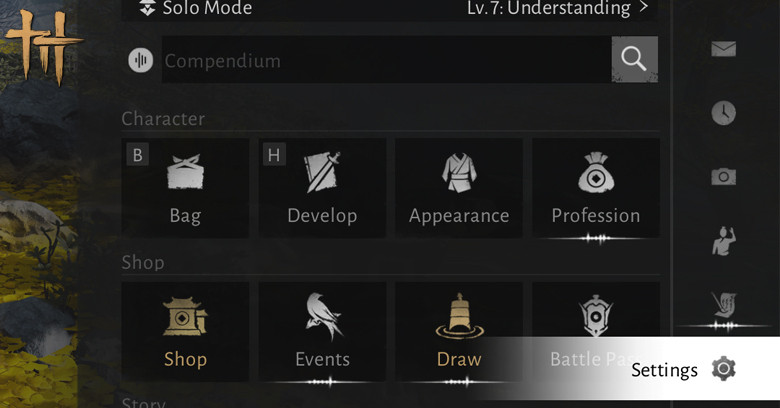
Go to Settings tab on the right bar.
Step 2: Press E or R1 or RT until you see Audio setting:
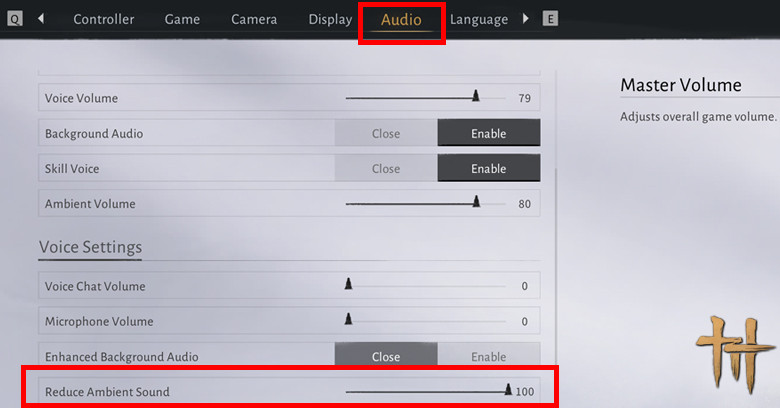
Then scroll down until you find Reduce Ambient Sound, it should be under Voice Settings. Increase that setting to 100% and you are finally free from the Deaf curse of Wujang.
If the issue still persists, give the game a restart, make sure you use correct audio output, for me It works like a charm, I can FINALLY HEAR in CO-OP.
Other Gameplay Tips:
 Best Sword Martial Art Best Sword Martial Art |  Fan VS Umbrella Fan VS Umbrella |
 Win DreamJinming (Supreme) Win DreamJinming (Supreme) |  Increase Pitch Pot Challenge Circle Increase Pitch Pot Challenge Circle |
 View Real Stats View Real Stats |  Jade Fish Farm Jade Fish Farm |
 Fix Muted Audio in Co-Op Fix Muted Audio in Co-Op | - |
End.